
Auditing and dashboards
Updated
When you need to know what happened in a space, you do not have to ask around. Space settings keeps two audit logs and the full dashboard for the space. You need permission to manage the space in Jira to open them, and Scrumpy checks that permission again when the data loads.
Follow a voting session from start to finish
The Voting audit tab lists every significant voting event in the space, newest first: a session started, a vote cast or withdrawn, a pause or resume, a completion, the team estimate, an accepted estimate, a change to the required voters, a reminder, and the async voting deadline.
Each row shows when the event happened, the work item type and key, the perspective, who did it, and what happened. Click a work item key to open the work item in a dialog without leaving the page.
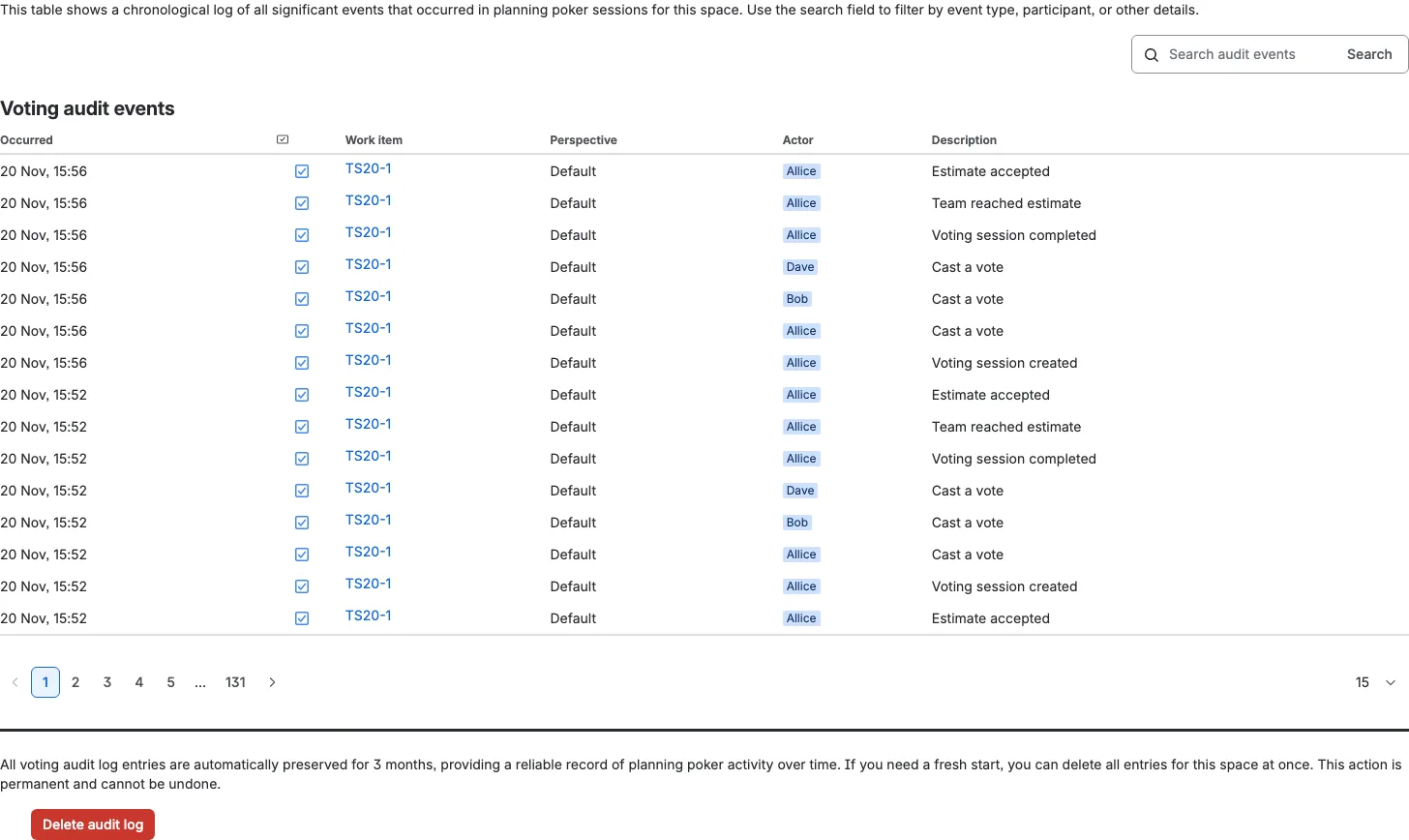
Use the search field for a work item key, a perspective, or an event description, then click Search. Choose 15, 30, 45, or 60 rows per page. You only see events for work items you can open in Jira; hidden work items are left out and are not counted.
See who changed the settings
The Configuration audit tab records every change to the space permissions and to the perspective settings. It covers the voter and moderator lists, the password, page visibility, the Confluence space, and every perspective setting. A perspective added, renamed, or removed also appears here.
Each row shows who made the change, which perspective it belongs to, what changed, and when. The description reads like Certainty enabled or Active cards changed for Fibonacci, so you can see the exact difference without opening the setting.
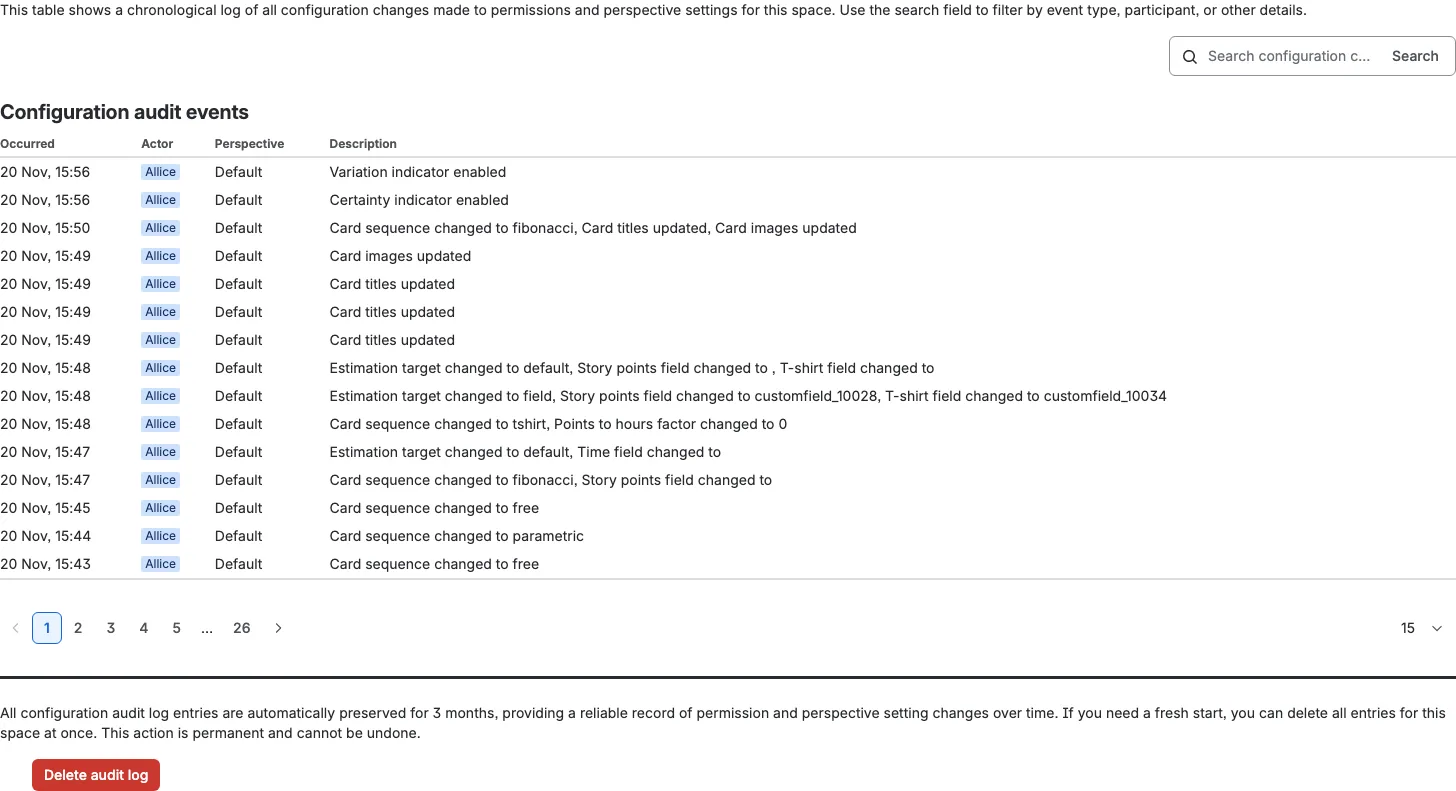
Visualize the voting activity
The Dashboard tab in Space settings turns accepted sessions into charts for the space. It shows the total votes and estimates per perspective, the average certainty and variation, the average active and paused time, and the same numbers per day. Use the range selector to switch between 1, 2, 4, or 8 weeks and All time; the choice is remembered in this browser tab.
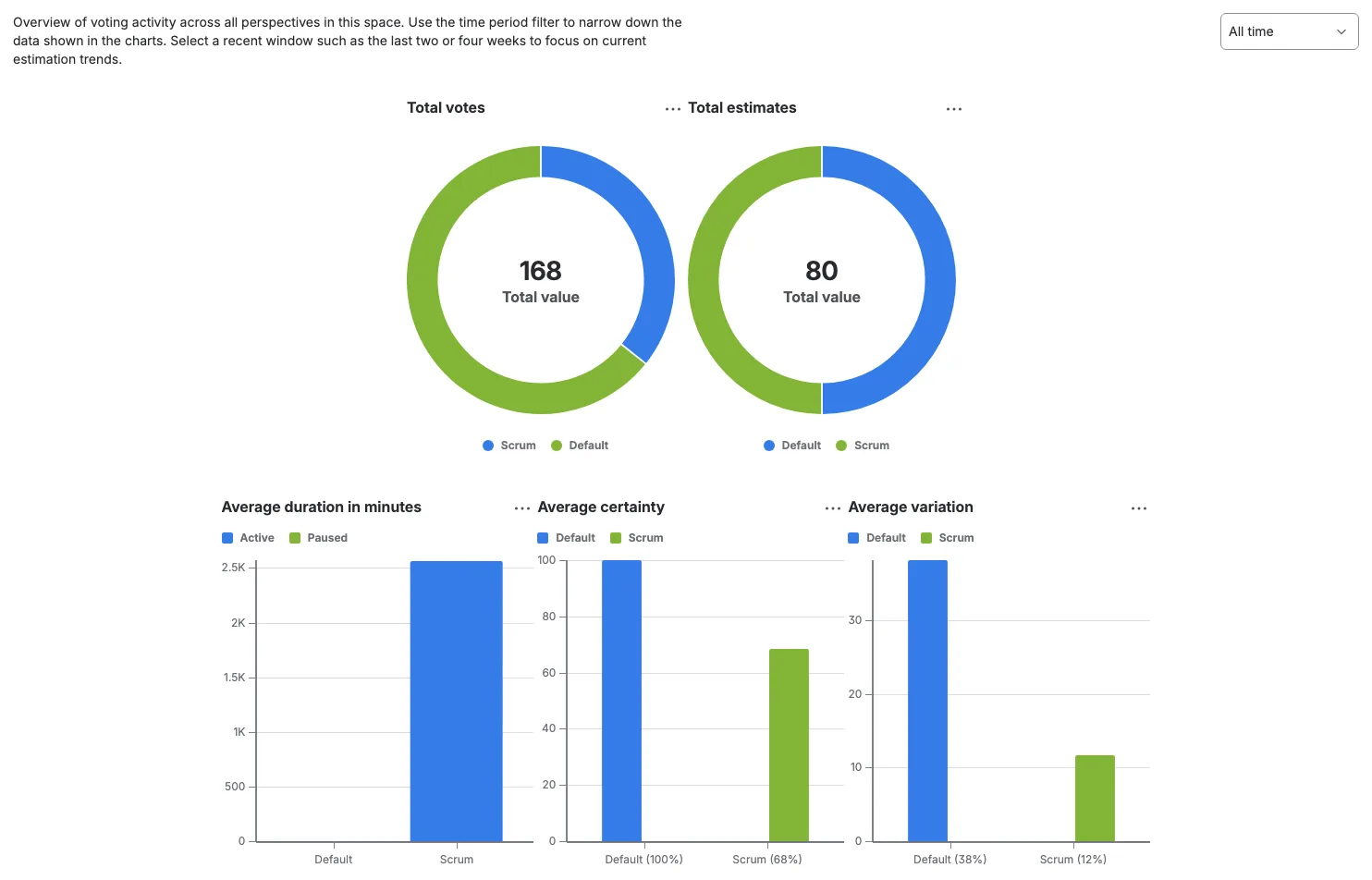
The Dashboard tab on the Estimations page is a lighter live view. It shows active sessions, unique voters, and sessions by state per perspective, plus the people voting right now. It has no time filter.
Keep the history
Voting audit entries, configuration audit entries, and accepted sessions are kept for 90 days, then removed automatically. Only the space owner can clear an audit log or the estimation log from these tabs. A confirmation appears first, and those deletions cannot be undone.