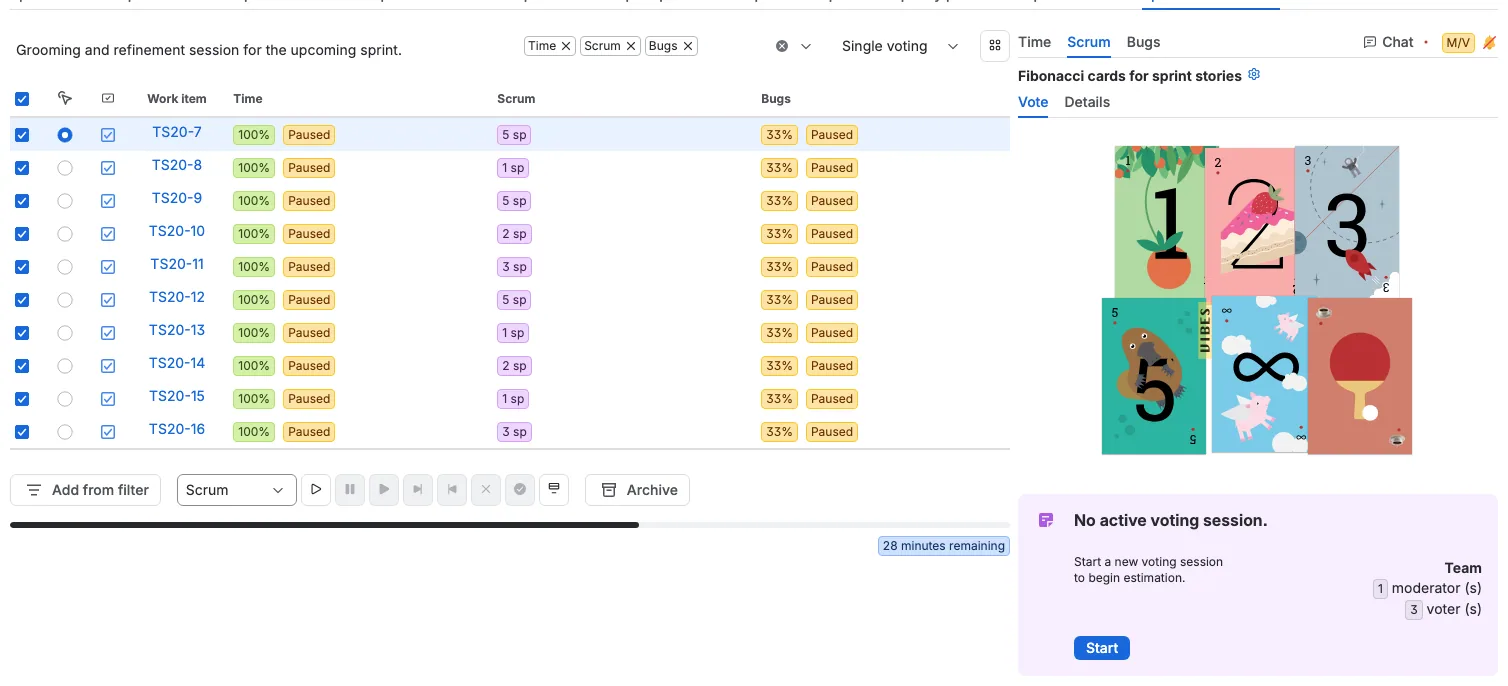
Bulk voting in a planning session
Updated
A planning session is the team's grooming or refinement meeting. Its table is a spreadsheet for estimation: one row per work item, one column per perspective, and one estimate cell for every pair.
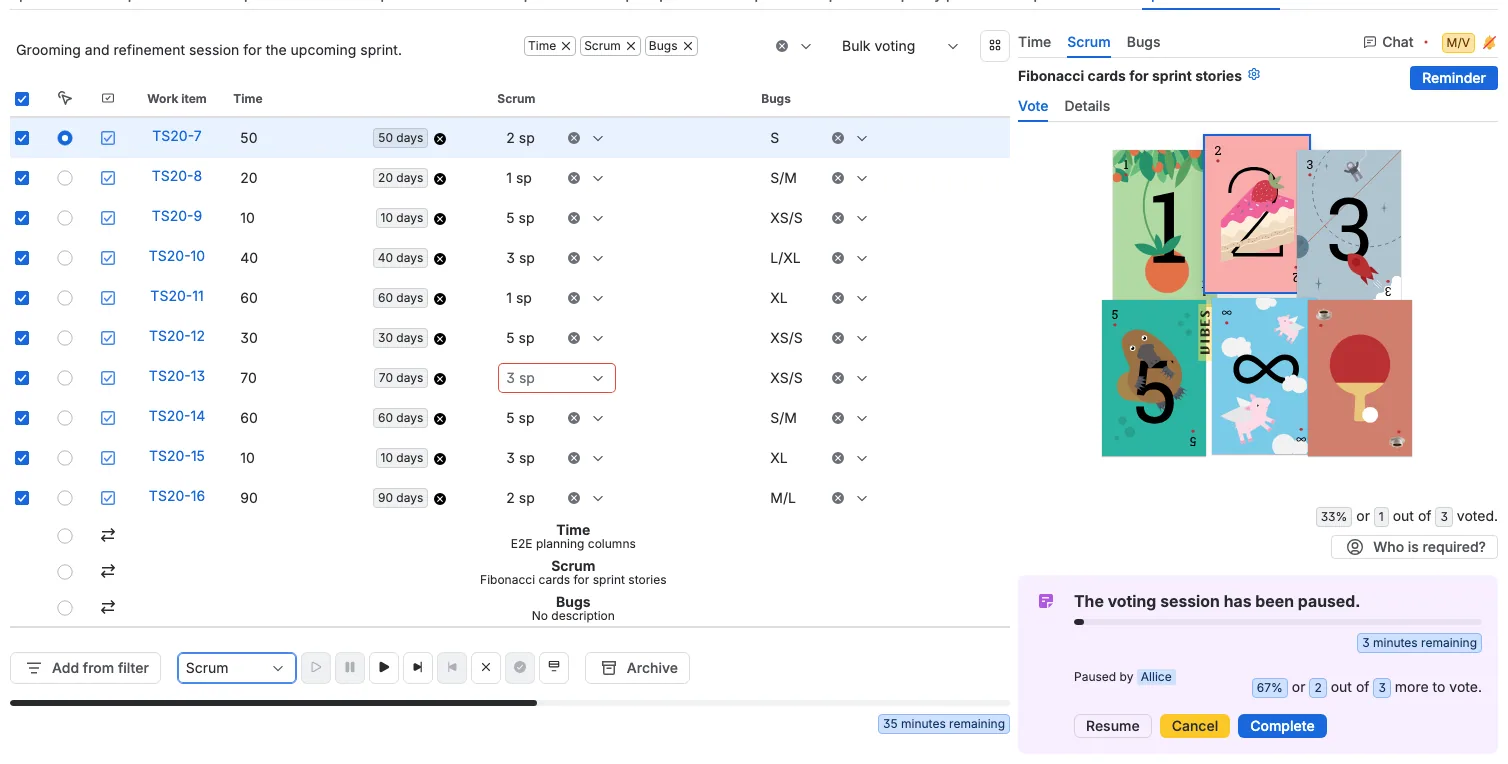
Fill the table in Bulk voting
Switch the session to Bulk voting. Every started session shows its control directly in the table: a card selector for Scrum, a T-shirt selector for Bugs, and a number field for Time. Choose a value and the vote is cast for that work item and perspective, without opening the work item.
Vote with buckets
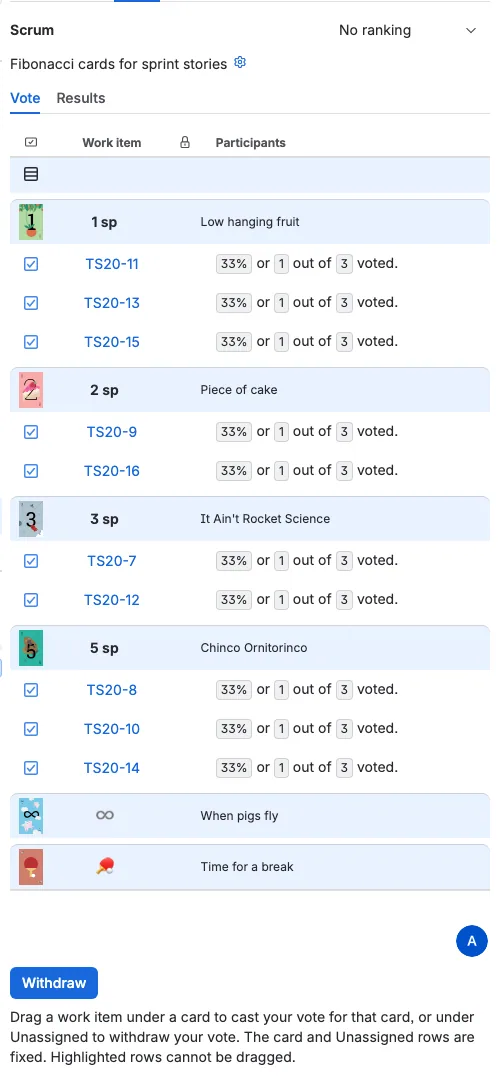
Select the Scrum perspective row and open the Bucket tab. Each card is a bucket. Drag a work item under the card that fits, or drop it under Unassigned to withdraw its vote. The bucket view shows the same votes as the table, grouped by card.
It does not matter where the vote is cast
Participants can vote from the work item's ad-hoc panel, from the planning table, or from the Bucket tab by dragging. All three write the same vote for the work item and perspective, so the moderator reviews the same result everywhere. From the planning table the moderator can start, pause, resume, complete, cancel, or accept sessions in bulk.
Accept the estimates
Select all work items, choose Scrum in the perspective selector, and press Complete. Then press Accept. Scrumpy writes each accepted estimate to the Jira field the perspective targets, and the planning table shows the accepted value in the Scrum column.