Voting with 2 parameters
Updated
Some work is easier to describe with more than one number. A parametric perspective combines several parameters with a formula and turns them into one story point result.
Set up the parameters
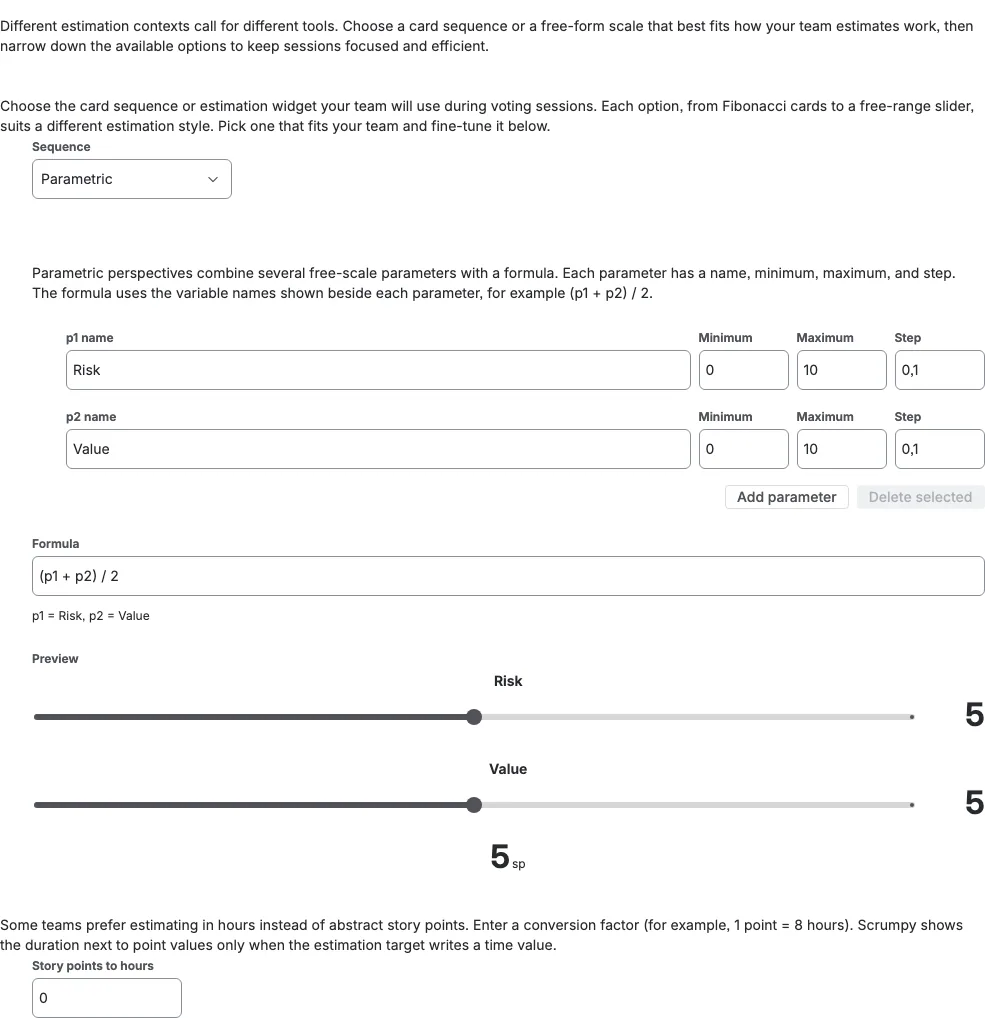
In the perspective settings, choose Parametric in the Sequence dropdown. Name the two parameters Risk and Value, give each one a Minimum, a Maximum, and a Step, then write the Formula from the variable names shown beside the fields, for example (p1 + p2) / 2 where p1 is Risk and p2 is Value. The preview at the bottom shows the sliders and the result your team will see. Add more parameters when two are not enough.
Vote with the sliders
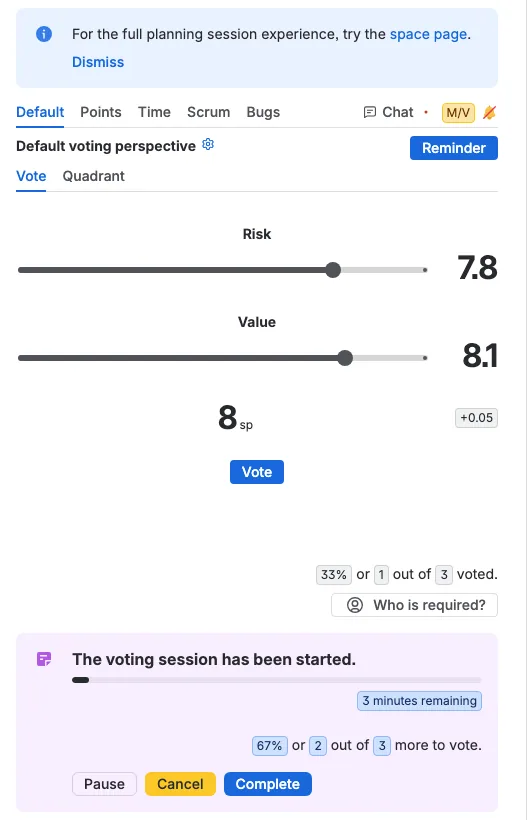
During a session, each voter moves the Risk and Value sliders to the values that fit the work. The formula turns those positions into the result shown in large text with an sp suffix, and a small badge on the right shows how far the rounded result is from the exact formula value. Press Vote to cast it, or Withdraw to take it back.
Read the results
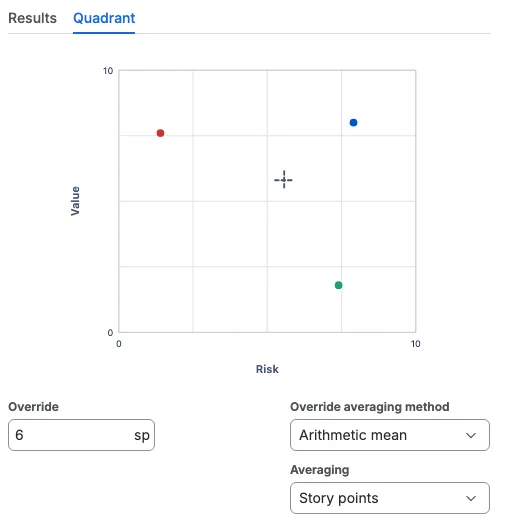
The Quadrant tab draws one dot per participant, so you can see how the votes spread across Risk on the horizontal axis and Value on the vertical axis, plus a dashed crosshair for the averaged positions. Story points averages the results each participant voted, while Parameters averages every parameter position first and then applies the formula. The moderator can also override the default averaging method and the final result before accepting.